
Intelligent Evidence supports multiple frameworks. Schools can upload and map evidence for additional frameworks alongside the existing Ofsted framework, enabling inspection preparation across all selected frameworks within the same platform.
We currently support the following frameworks:
- Ofsted Framework - Last update November 2025
- Ofsted Framework 2024
- Catholic Schools Inspectorate - Last update February 2026
| Framework | Last Updated |
| Ofsted 2025 | November 2025 |
| Ofsted 2024 | September 2024 |
| Catholic Schools Inspectorate | February 2026 |
We expect to add further frameworks during 2026.
Enabling additional frameworks
If you would like to add an additional framework to your account, please contact Support or your Relationship Manager and we will assist you.
Please note: additional frameworks may incur extra subscription fees.
Alternatively, an Org Admin can enable an additional framework by following these steps:
-
Sign in to the school account using an Org Admin account.
-
Go to the Settings area at the top of the page.
-
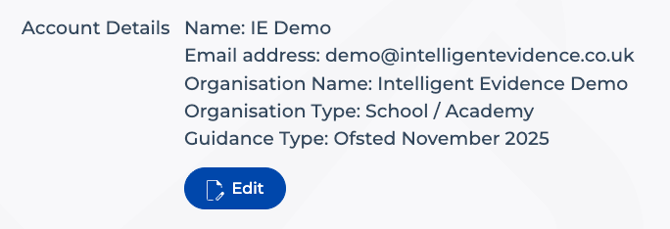
Click the Edit button next to your school details.
-
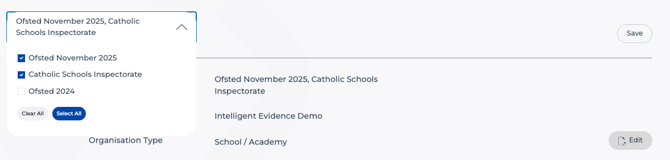
Open the Framework dropdown to view the available frameworks.
-
Tick the checkbox next to the framework you wish to add.
-
Once you have added the required framework, click Save.
-
Return to your account Home screen.
-
You should now see the new framework available in the Framework drop-downs.
❗Warning: If you disable a framework from your account, any associated evidence for that framework will be removed.
Switching between frameworks
You can switch between frameworks at any time using the Framework dropdown. Simply select the framework you would like to view.
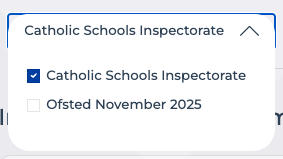
Use the Framework selector at the top left of each screen
When uploading documents, you must select the framework that the document will be uploaded to before pressing Upload.
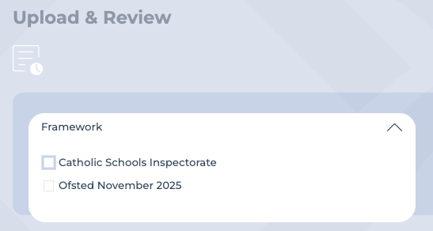
Framework selection on Upload and Review
Coming soon
At present, evidence must be uploaded separately to each framework. Functionality to share a single document across multiple frameworks will be introduced in a future release.
Next steps
If you would like to discuss an additional framework, suggest a framework we should load, or join a UAT group for framework testing, please contact your Relationship Manager or email Support at support@intelligentevidence.co.uk.