
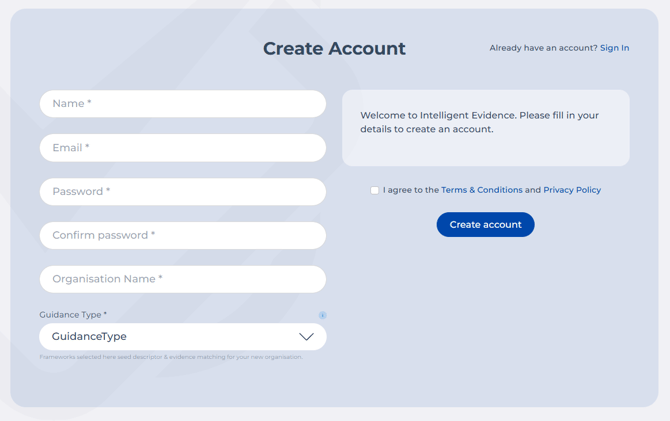
- Go to the Sign Up Page and enter your details.
- Select the guidance framework(s) you are working under. You can choose more than one if applicable.
- Set a secure password. Your password must be at least 8 characters long and contain letters, numbers and at least 1 alphanumeric character.
- Review the Terms and Conditions and Privacy Policy.
- Click Create account.
- You will receive an email with a link to confirm your account. Click the link to verify, and you can then start using Intelligent Evidence.
The first person to create an account is automatically set as the system administrator. Don't worry, this can be changed later if needed.