
If you've uploaded a document that's important to your school, but it isn't a standard Ofsted document, or the scan simply hasn't picked anything up, you can add the evidence yourself rather than relying on the automatic scan.
This means nothing important gets left out of your evidence base just because it doesn't match a typical Ofsted document type.
- Upload the document as normal.
- Click the right arrow where you'd normally view the evidence found.
- Click Add new evidence.
- Fill out the fields, find the grade descriptor using the dropdown and write a summary for the evidence.
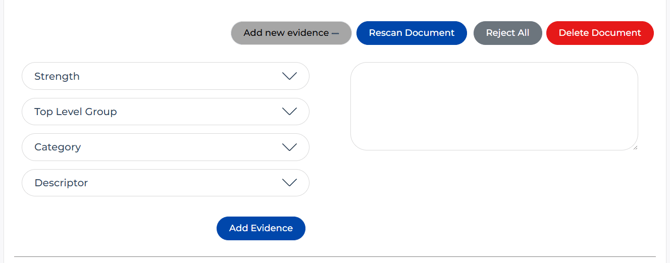
- Click to accept the evidence.

- The evidence will appear in the evidence base as normal.