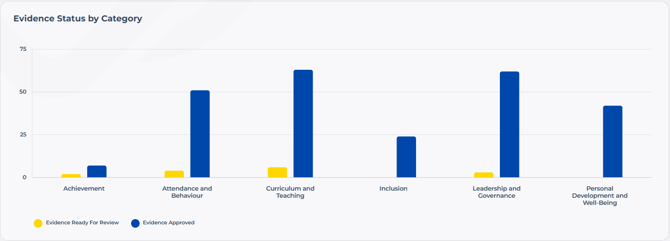
When you select a school from the Dashboard, you'll land on that school's School Overview, a read-only view of their account. You can't reject or approve evidence from here, but you can see exactly where they stand.
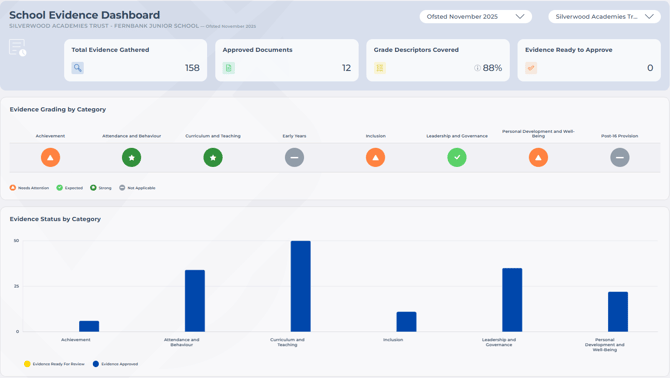
Switching Frameworks
If the school has more than one framework enabled, use the dropdown in the top right to switch between them. The traffic lights, descriptor breakdown, and evidence status chart will all update to reflect the framework you've selected.
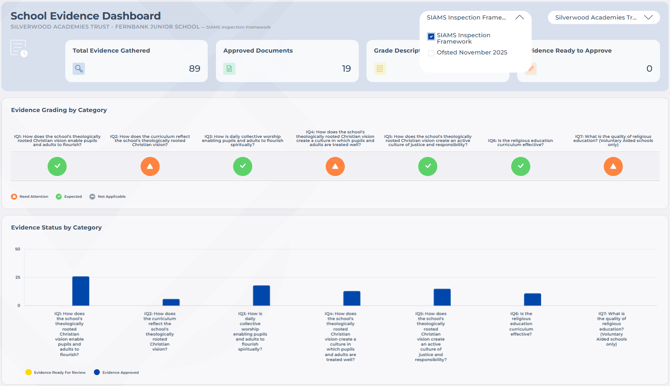
Traffic lights and descriptor breakdown
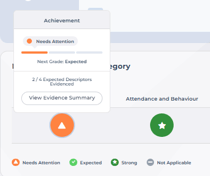
Hover over the traffic light for a category to see how many grade descriptors are still needed to meet the requirement. From here, click [View Evidence Summary] for a full breakdown of that category's evidence, showing what's approved, what's awaiting approval, and which items have been marked as Best Evidence. See Best Example for more on how that's chosen.
Evidence status chart
On the same page, you'll see a bar chart showing evidence that's been approved (blue) against evidence still awaiting approval (yellow). Clicking either bar takes you to the relevant area, so you can view the detail or see what's needed.