
After you've uploaded your documents and accepted your evidence, tick Peer Reviewed to flag items that have been double-checked. You can find this tick in the Evidence Base when you open a piece of evidence that has been approved.
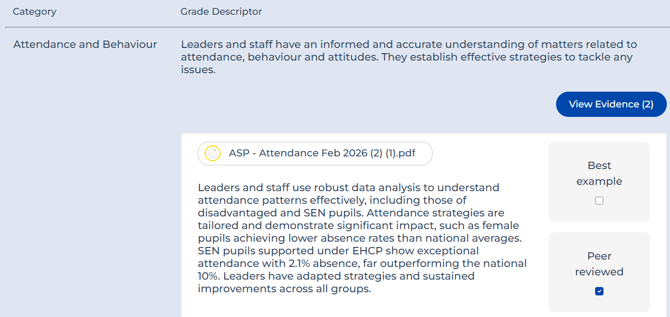
Not every school uses it, but it's particularly useful when a team, SLT, or wider group is adding and accepting evidence together. Either as a final check from an overseer (such as the Head) confirming they've reviewed and are happy, or when SLT members discuss the evidence together and agree on it.
When you generate a report, it flags which items have been peer reviewed and which haven't, so it's easy to see at a glance where that extra check has happened.